Logged every time someone comes within your set distance of a moving forklift, by zone and shift.
See every forklift close call your safety walk misses
Closecall puts AI on the cameras your plant or warehouse already has. You get a blurred clip for every close call, zone entry, missing vest and blocked exit.
Free, answer in two working days. Nothing to install to find out.
- Your existing camerasAI on most IP cameras and recorders.
- Faces blurredBefore any clip is stored.
- Two-day answerSend screenshots. No call, nothing to install.
- $79 per cameraA month. Published price, no site fee.
Close calls don’t leave marks. By the morning walk, last night’s near miss is gone. Unless a camera saw it.
With Closecall, the 02:07 close call is waiting on your desk at 07:00: zone, shift and a blurred clip.
One in five forklift-related deaths in a NIOSH review of 1,021 US fatalities was a worker on foot struck by a forklift.1
NIOSH Alert, 2001In a UK survey of materials-handling workers, about 3 in 4 said their team faced “accidents waiting to happen”. Only 1 in 3 said they would speak up.2
FLTA survey, 2012
Four risks, on every camera you connect.
Draw the zones that matter and set rules by time of day. The dock at 2 a.m. can follow different rules.
Checked only in the zones that require them, counted by zone and shift, never by name.
Anything left in a marked exit route longer than you allow gets a clip with the time on it.
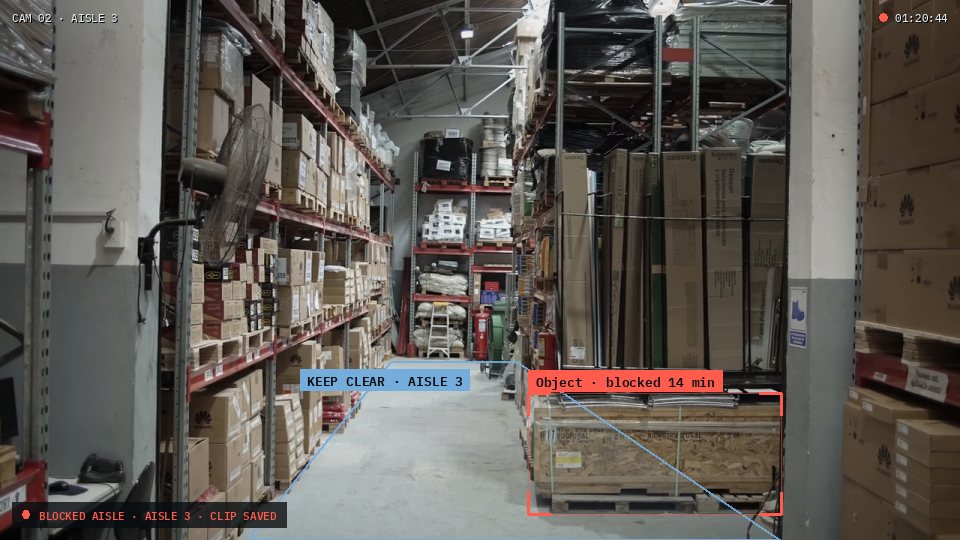 Something left in a marked exit routeZoneAisle 3 keep-clear · CAM 02SawObject in the exit routeRuleBlocked longer than you allowLoggedDated clipSample readout. Mock-up of the clip format on a stock still (Pexels); the timer is illustrative
People footage: Mixkit. Camera views: off-the-shelf model on stock footage (Pexels), not a customer site.
A report you can take upstairs
An alert when it happens. Every week, one report: which zone, which shift, and the clips worth watching.
ClosecallWeekly reportSample layout · not real data
Close calls by zone and shift
| Day | Swing | Night | |
|---|---|---|---|
| Dock | few | some | most |
| Aisle ends | few | few | some |
| Press area | none | few | few |
| Staging | none | none | few |
Events by type
- Forklift close calls
- Zone entries
- Missing PPE
- Blocked exits
Clips worth watching
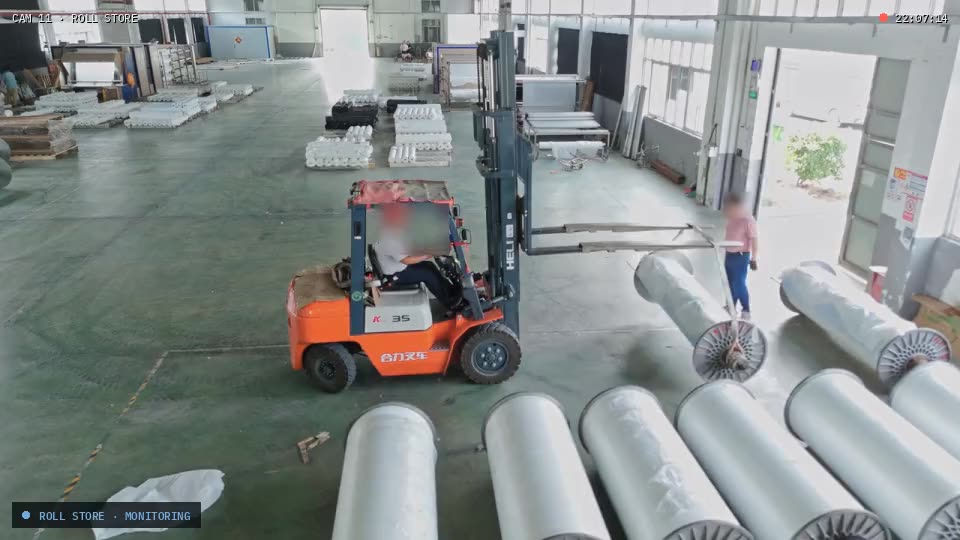 Close call at the roll storeSample clip
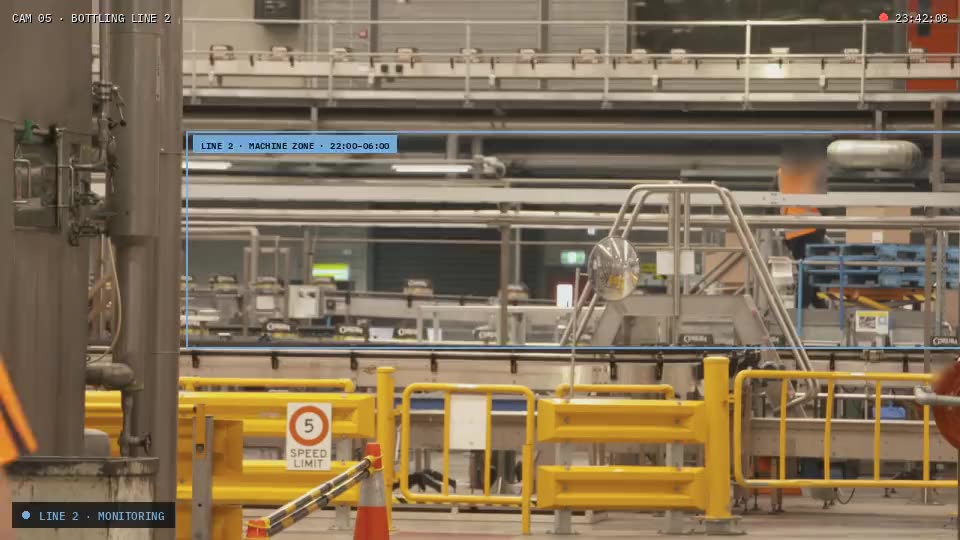 Entry into the line 2 zoneSample clip
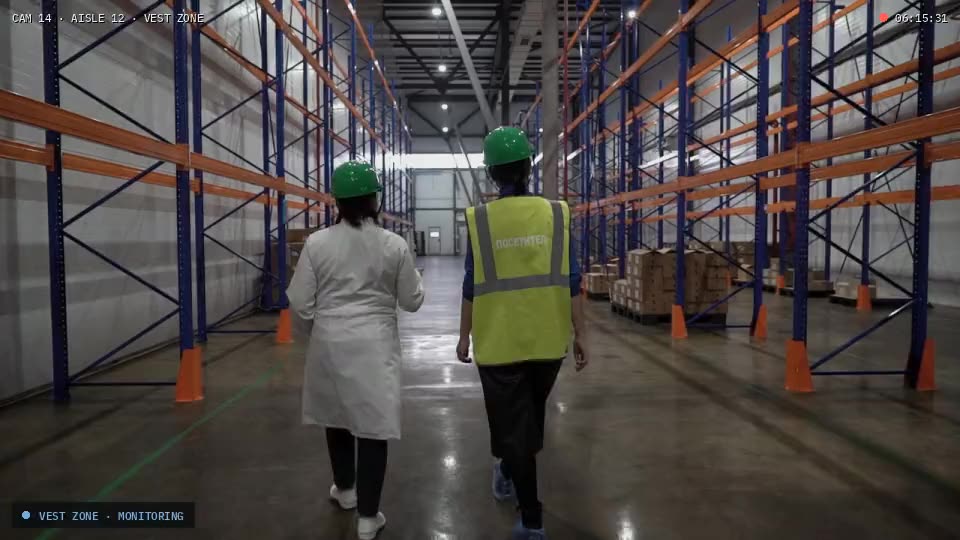 No vest in the vest zoneSample clip
The real report adds counts, the trend against last week and a link to every clip.
Closecall alertSample
Close call at the roll store
- Zone
- Roll store · CAM 03
- Shift
- Night
- Rule
- Within 8 ft of a moving forklift
Week one is quiet while we tune. From week two, the events you choose go to the people you choose: email, text, Teams or Slack.
Nothing to install to find out. One small connector if you go ahead.
- Your camerasMost standard IP cameras and recorders work.
- The connectorRuns on a PC or server you already have. Nothing is shipped.
- One connection outEncrypted and outbound-only, to our cloud.
- ClosecallAI vision watches each camera for the four risks and blurs faces before a clip is stored.
- Your peopleAlerts and the weekly report by email, text, Teams or Slack.
Will my cameras work?
- Most standard IP cameras and recorders do.
- Usually no new cameras. Nothing is shipped.
- What a view can catch depends on angle, light and distance. The free check answers that for each camera.
- IT approves one small connector. The audit includes an IT Approval Sheet with the details.
What it never does
- Identify a worker. Faces are blurred before a clip is stored.
- Count PPE by name. Missing PPE is counted by zone.
- Score anyone.
- Stop a forklift or a machine. It logs and alerts.
- Make you OSHA compliant. No product can. It helps you monitor conditions and keeps the evidence.
See what your cameras can catch before you pay anything
Start with a free camera check, then decide whether a 30-day audit is worth it.
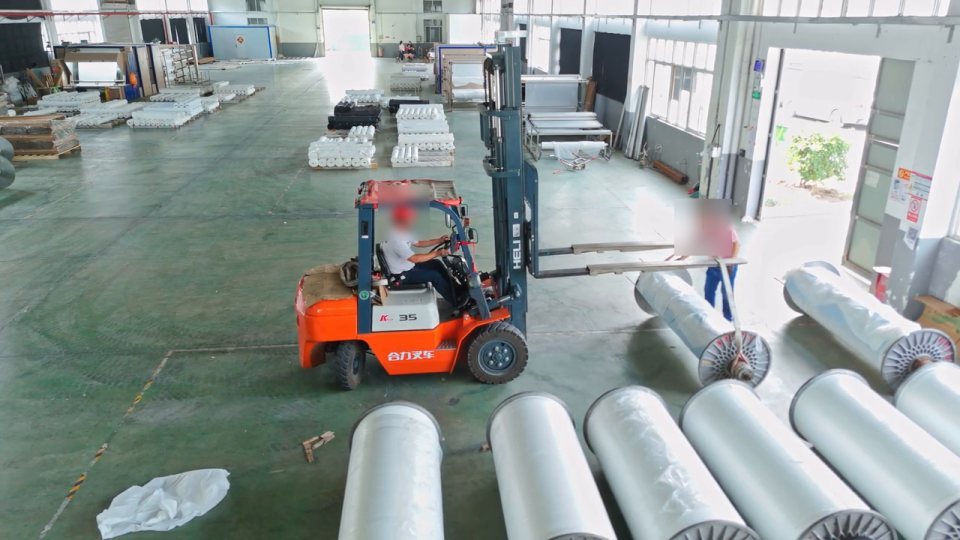
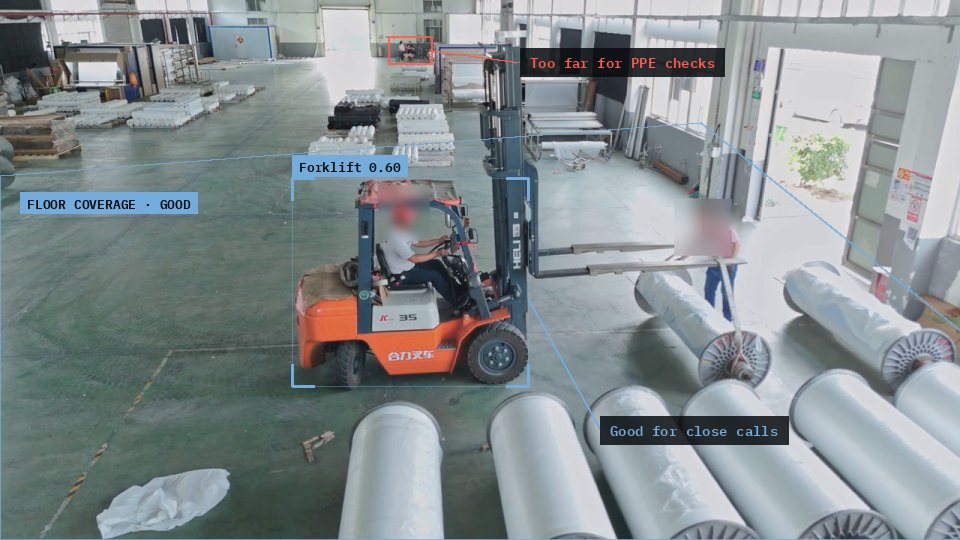
- 01
Free camera check
Send one screenshot per camera. Usman, our founder, marks up every check, and each view comes back in two working days.
Free
- 02
30-day close-call audit
Up to 10 cameras. Billed on day 30 and credited in full against your first three months.
$1,500
- Days 1 to 7No alerts while we tune. First clips by day 7.
- Week 2 onAlerts go to the people you choose.
- Day 30Audit report, review call, insurer letter.
- 03
Keep it running
All detections, no site fee, stop any month. Founding sites keep this price for 24 months.
$79per camera, per month
The Worth-It Guarantee
If you don’t think the audit was worth it, you don’t pay. No conditions.
Get my free camera checkSixteen cameras cost $15,168 a year with Closecall. One leading safety-AI vendor’s published list price for the same site is $85,000.3
The audit includes a Site Rule Map, Floor Acceptance Pack, IT Approval Sheet, Insurer Loss-Control Letter and Toolbox Talk Clip Pack.Before you send a screenshot
01Do I need new cameras or a box?
Usually not. Most standard IP cameras and recorders work. The connector runs on a PC or server you already have; nothing is shipped.
02What AI does it use?
Computer vision models that find people, forklifts, hard hats and vests in your camera view, then apply the zone and distance rules you set. Faces are blurred before anything is stored. There is no facial recognition and nobody is scored.
03Will it identify our workers?
No. Faces are blurred before a clip is stored, missing PPE is counted by zone and never by name, and nobody is scored.
04Does this make us OSHA compliant?
No product can. It helps you monitor conditions and keeps the evidence.
05What does IT need to approve?
One small connector with one encrypted, outbound-only connection to our cloud. The IT Approval Sheet covers the details.
06How accurate is it?
It depends on camera angle, light and distance, so we don’t quote a number. That’s why the first week is quiet: you check the clips before any alert goes live.
07How does the price compare?
Sixteen cameras cost $15,168 a year with Closecall. One leading safety-AI vendor’s published list price for the same site is $85,000 ($45,000 a site plus $2,500 a camera a year, from our market research in November 2026).
See the close calls your safety walk misses
Send one screenshot per camera. In two working days you’ll know what each one can catch. Free, and no call.
- 01Send a screenshot per camera
- 02We mark up each view in two working days
- 03You decide. No call needed